Package, Don't Dump: The 3D Handoff Folder That Answers Questions Before Clients Ask
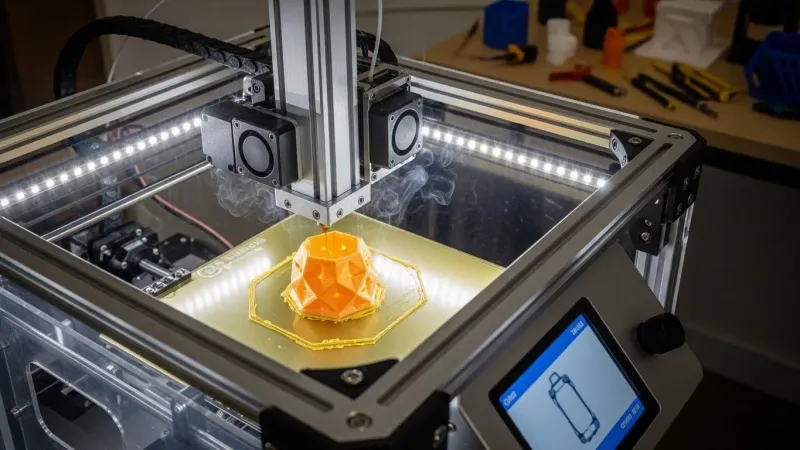
Photo: 3D artist organizing digital asset folders and 3D model files on a dual-monitor desk, via www.rapiddirect.com
Every freelancer has a version of this story. You spend three weeks on a hero asset — a diner storefront for a Chicago ad agency, say — polish the bevels, bake the maps, render the turntable. Then you drop final_final_v4.glb into an email, hit send, and move on. Two days later the client writes back: It's sideways. The walls are see-through. Also, are we allowed to use this in a TV spot?
That's not a client problem. That's a handoff problem. And it's the cheapest one to fix.
The last mile is part of the model
Most of us treat delivery as the moment we stop working. Clients treat it as the moment they start. Those two views don't match, and the gap gets filled with support emails, rushed screenshots, and the quiet suspicion that you're hard to work with.
A handoff packet closes the gap. It's not a fancy deliverable or an upsell — it's a folder that anticipates the five questions every client asks in the first 48 hours. Build it once as a template and it adds maybe 30 minutes to a project. It saves hours, and it changes how the next referral describes you.
Why "here's the file" costs you later
The download link feels efficient. It isn't. A bare model file assumes the client knows which app to open it in, which units you modeled in, whether the textures travel with it, and what your invoice actually grants them. Most don't. Many won't ask — they'll just guess, and the guess will be wrong in a way that lands on your reputation.
US clients in particular tend to be juggling vendors: a brand manager in Austin, an exhibit shop in Ohio, a web team in Seattle. Your file is one item in a stack of assets from people who all named things differently. The packet is how you stand out in that stack without doing anything flashier than being organized.
The seven-piece kit
Here's the short version of everything that belongs in the folder. None of it is exotic.
- The model itself — a native source file plus one or two exchange formats (glTF for web and real-time, FBX or USDZ depending on the downstream tool).
- A naming convention the client can read out loud.
- A scale and orientation note — units, up-axis, forward direction, origin point.
- A map manifest — every texture listed with what it does and where it belongs.
- An LOD ladder — levels, triangle counts, intended viewing distance.
- A plain-English license summary — what they can do, what they can't, and which third-party pieces are in the file.
- A one-page usage guide — how to open it, what to expect, who to contact.
That's it. Everything below is just detail.
Naming rules that survive a reorg
Pick a pattern and stick to it across every project: project_asset_variant_lod_version. Lowercase, underscores, no spaces, no dates stuffed in the middle. acme-diner_facade_hero_lod0_v03.glb tells a stranger more in one glance than DinerFinalNEW.glb ever will.
Ban the word final. Ban new. Ban v2_real. If you need a revision tracker, use the version number and keep it honest. Clients forward files to people you'll never meet — the filename is the only introduction you get.
Units, axes, and the great inches-versus-meters truce
State your units in the README, then state them again in the usage guide. If you modeled in meters and the client's team works in feet, say so and include the conversion. If your up-axis is Z and their engine expects Y, write it down instead of letting them discover it at import.
A two-line note — Units: meters. Up-axis: Z. Forward: -Y. Origin at floor center. — prevents more panic than any render you'll ever send. Add a single screenshot with a 6-foot human figure next to the model and you've solved scale perception entirely.
Materials: leave a map for the maps
Textures get lost in transit more than any other part of a model. Keep them in a /textures subfolder with names that match the material slots, and include a manifest in the README:
acme-diner_facade_basecolor.png— base color, sRGBacme-diner_facade_normal.png— tangent-space normal, OpenGL conventionacme-diner_facade_roughness.png— roughness, linearacme-diner_facade_ao.png— ambient occlusion, linear
If you packed textures into the glTF, say that too. If you used a nonstandard normal convention because the downstream engine needed it, flag it in bold. Nobody minds a quirk that's documented. Everybody minds one that isn't.
LODs in plain English
List them like a menu, not a spec sheet:
- LOD0 — full detail, 84k tris, hero renders and close-ups
- LOD1 — 32k tris, mid-distance in-engine use
- LOD2 — 9k tris, background and mobile
- LOD3 — 2.4k tris, crowd scenes and distant skyline
One sentence per level is enough. The client's technical artist will appreciate the counts; the brand manager will appreciate knowing which one goes where.
The license page nobody reads until legal does
Write a short summary in everyday language: what the client can do with the model, whether source files are included, whether they can resell or sublicense it, and how long the terms last. Then add a separate line for third-party content — scanned textures from a public-domain archive, a purchased HDRI, a font converted to geometry. Legal will ask. Answer before they do.
Keep the formal contract separate. The summary isn't a replacement; it's a translation.
The one-pager that ends the group chat
This is the piece people skip and the one clients remember. A single page titled How to use this model with four sections: how to open it, recommended import settings, known quirks, and a contact window for follow-up questions.
Known quirks deserve real estate. The awning geometry is single-sided; enable backface culling or duplicate the mesh if you need it from behind. That one line can save a client a day of confused Slack messages — and it makes you look like someone who actually tested their own delivery.
Your reusable checklist
- Native source file included
- glTF or FBX exchange export tested in a clean scene
- LOD0–LOD3 named, counted, and listed
- Textures in a
/texturesfolder with a manifest - Units and up-axis written in the README
- License summary in plain English
- One-page usage guide included
- Contact window stated for post-delivery questions
A folder template you can steal
acme-diner_2026-11/
  README.md
  01_source/
    acme-diner_facade_source.blend
  02_exchange/
    acme-diner_facade_lod0.glb
    acme-diner_facade_lod1.glb
    acme-diner_facade_lod2.glb
  03_textures/
    acme-diner_facade_basecolor.png
    acme-diner_facade_normal.png
    acme-diner_facade_roughness.png
  04_docs/
    license-summary.pdf
    how-to-use-this-model.pdf
Copy it, rename it, drop your assets in. The structure does most of the work.
The part where it pays off
A handoff packet won't win you a project on its own. But it's the difference between a client who says we used them once and one who says they're the organized ones — send them the next job. Before the holiday crunch hits and everyone's inbox fills up, spend an afternoon building the template. Your future self, staring down a December delivery window, will thank you.