From Filament to First Friday: Designing a Library Modeling Club That Outlives the Novelty
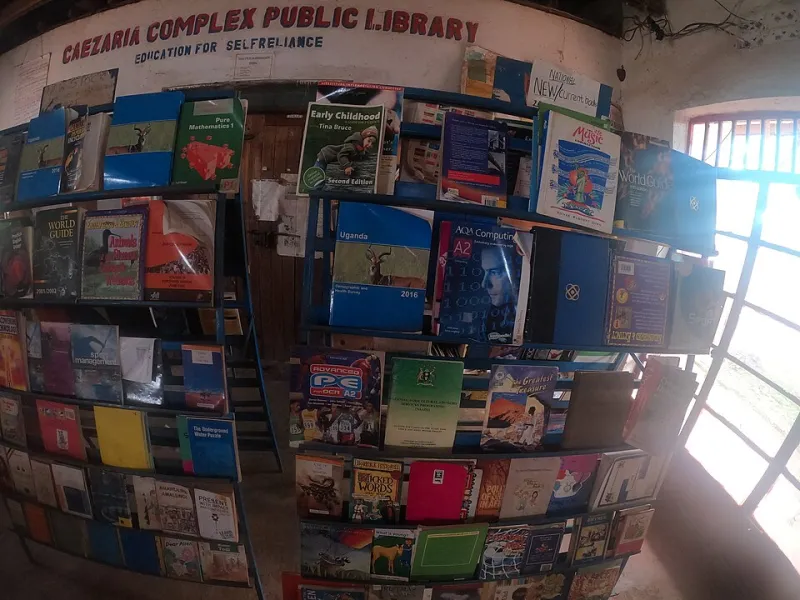
Photo: Micheal Kaluba, CC BY-SA 4.0, via Wikimedia Commons
Walk into a US public library these days and there's a decent chance you'll spot a 3D printer somewhere near the makerspace table, the teen room, or the back office where it was parked after the grant announcement. The machine usually has a story. A Friends of the Library fundraiser. A local STEM grant. A patron who donated a printer and a spool of PLA with the best intentions. What it often doesn't have is a reason for anyone to come back next month.
That's not a hardware problem. It's a programming problem. And it's exactly the kind of gap a local 3D artist can help close.
The Idle Printer Is a Familiar Story
Most library 3D printer programs follow the same arc. There's a launch event, a few demo prints, a run of tiny boats and keychains, and then the calendar gets quiet. The printer still works. The filament is still there. The patrons who were curious have already seen the demo. What's missing is a recurring excuse to model something, learn something, and show up again.
Libraries are good at recurring programs. Story time, book clubs, tax help, English conversation groups. A 3D printer can be part of that rhythm, but only if someone builds the rhythm. That's where a modeling club with a clear menu beats a general "come use the printer" open studio every time.
Start With a Menu, Not a Machine
The best library modeling clubs don't begin with software tutorials or printer specs. They begin with a short, curated list of things worth making. Call it a community asset menu: a rotating set of useful, local, beginner-friendly objects that patrons can choose from, remix, or improve.
A menu solves the blank-page problem. It gives librarians something to promote, gives beginners a clear first project, and gives returning members a reason to level up. It also shifts the club from novelty printing to actual modeling practice.
A starter menu for a public library might include:
| Menu item | Skill level | Why it belongs |
|---|---|---|
| Cable clips for the public computer lab | Beginner | Solves a real annoyance and teaches basic measurements |
| Replacement feet for library furniture | Beginner | Small, useful, and easy to batch-print |
| Garden markers for the library's seed library or plot | Beginner | Ties into existing library programming |
| Board game inserts for library game night | Intermediate | Popular with teens and families |
| Phone stands with the library logo | Beginner | Good first customizer project |
| Repair-café brackets and knobs | Intermediate | Connects the club to local repair culture |
| Local history plaques based on scanned details | Advanced | Gives the club a civic project |
Notice what's absent: dragons, flexi toys, and anything that only exists to prove the printer works. Those can stay as warm-up prints. The menu is for things the community can actually use.
A Workshop Format That Fits Library Life
A monthly 90-minute session works better than a weekly drop-in for most libraries. It's easy to promote, easy to staff, and long enough to get something done without becoming a babysitting service.
Here's a format that holds up:
- 15 minutes: Show and tell. One returning member shows a print, a failure, or a remix. Normalize the ugly first draft.
- 25 minutes: Skill demo. One focused technique: measuring with calipers, using parametric templates, orienting a print, or cleaning up a scanned mesh.
- 40 minutes: Model and remix. Patrons work from the menu. The artist circulates. The librarian manages the print queue.
- 10 minutes: Queue and close. Submit files, label prints, and set the next theme.
The artist's job isn't to teach a full CAD course. It's to coach. The librarian's job isn't to become a 3D expert. It's to keep the room running, handle the printer, and connect the club to the rest of the library's calendar.
Keep the Toolchain Boring
Beginners don't need a new software stack every month. Pick one browser-based modeler for the club and stick with it for a season. Tinkercad is still the most frictionless on-ramp for public computers. Onshape and Fusion run fine on library machines if the branch has decent hardware. Blender is great for the advanced track, but don't lead with it unless the room is already comfortable.
Provide a handful of parametric templates for the menu items. A cable clip with adjustable width. A garden marker with editable text. A furniture foot with a few size presets. Templates turn a blank screen into a reasonable starting point, and they teach the idea that models can be adapted rather than rebuilt.
Measure Turnout Without Turning It Into Homework
Libraries report to boards, grantors, and city councils. Artists want to know if the club is working. Keep the metrics simple enough that someone will actually collect them.
Track unique attendees, returning attendees, number of menu items remixed, and print queue completion. A short exit survey with three questions is plenty: What did you make? What would you change? Would you come back? Don't measure downloads or likes. Measure whether people show up again and whether the menu gets used.
The most useful number is the return rate. A club that brings back half its first-timers is doing something right. A club that gets a new crowd every month but never sees the same faces is a demo series, not a club.
Make the Partnership Explicit
A six-month pilot is a good container. The library provides the room, the printer, the filament, and promotion. The artist provides three menu templates per month and two hours of coaching at the session. If there's a budget, pay the artist a stipend through the Friends group or a small programming grant. If there isn't, be honest about the trade: the artist gets visibility, a teaching credit, and a direct line to local commissions. That's a real benefit, but it isn't the same as a paycheck.
Put the arrangement in writing, even if it's one page. Scope creep is real in library partnerships. "Can you also fix the printer?" is not a coaching task. "Can you run a session for the summer reading program?" is a separate ask. A simple memo of understanding keeps the pilot focused and makes renewal easier.
Let the Menu Get Local
The menu is where the club becomes specific to its town. A library near a historic Main Street might scan a decorative bracket from a storefront and turn it into a bookmark or plaque. A rural branch might build seed markers and garden labels for the community plot. A branch near a repair café might model replacement parts for small appliances. None of these require a huge budget. They require someone who knows how to model and someone who knows what the community needs.
In 2026, plenty of US libraries have the printer. Fewer have the program. The artist's role isn't to sell the library a service. It's to help build a habit: first Friday, same room, new menu item, bring your worst print. That's how a machine becomes a club, and how a club becomes part of the library's calendar instead of a footnote in a grant report.